
For students, laptops have become indispensable tools for learning, research, and communication. Yet, the reality of student life—moving between classrooms, libraries, dormitories, and cafeterias—places these devices at high risk of accidental damage. A single slip from a desk, a jostling in a backpack, or an unexpected coffee spill can lead to costly repairs and lost productivity. According to various tech surveys, student laptops are among the most frequently repaired devices on campus due to accidental drops and scratches.
The core question arises: how can students protect their laptops effectively? The answer begins with selecting the right protective case. In this ultimate guide, we’ll explore everything from material science to practical selection tips, ensuring your laptop remains safe throughout your academic journey.
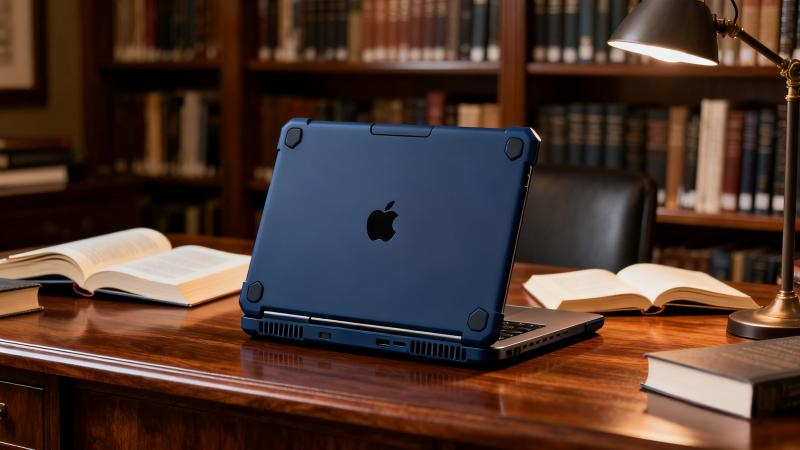
Understanding Protective Case Materials: What Works Best?
Choosing the right material is crucial. Different materials offer varying levels of protection, durability, aesthetics, and portability. Below, we break down the most common laptop case materials.
TPU – The Flexible Guardian
Thermoplastic polyurethane (TPU) is a soft, elastic material often used for lightweight and transparent laptop cases.
Characteristics: Soft, flexible, high transparency, impact-resistant, wear-resistant.
Advantages: Excellent shock absorption, thin design, maintains original laptop appearance.
Disadvantages: May yellow slightly over time; scratch resistance is moderate.
Ideal for: Students seeking light, minimalistic protection for everyday minor impacts.
PC – The Hard Shield
Polycarbonate (PC) is a hard, durable material that provides robust protection against pressure and scratches.
Characteristics: High hardness, strong impact resistance, scratch-resistant.
Advantages: Effective against compression and bending; protects laptop from scratches.
Disadvantages: Relatively rigid and brittle under extreme impact; thicker and less transparent than TPU.
Ideal for: Students who frequently transport laptops in crowded backpacks or harsh environments.
PC+TPU Composite – The Best of Both Worlds
Combining a hard outer PC shell with a soft inner TPU layer, this hybrid design maximizes protection.
How it works: Outer PC layer deflects impacts and scratches; inner TPU absorbs shock and distributes energy.
Advantages: Superior overall protection, scratch resistance, and drop resistance; popular for premium cases.
Disadvantages: Slightly heavier and thicker; higher price.
Ideal for: Students demanding maximum protection and willing to invest in durability.
Other Materials
Silicone: Too soft; limited protection and attracts dust—best as secondary coverage.
Metal: Extremely durable but heavy, expensive, and may interfere with wireless signals—rarely suitable for students.
Decision-Making Path: Choosing the Right Case for Your Needs
Step 1: Assess Your Risk Level and Usage Scenario
Understanding your habits helps determine the necessary level of protection:
Careless Student: Frequent slips, crowded spaces → prioritize PC+TPU composite or PC.
Cautious Student: Handles laptop carefully but wants extra insurance → TPU cases balance protection and aesthetics.
Mobile Learner: Daily transit across campus → consider PC or PC+TPU to withstand backpack pressure.
Step 2: Weigh Key Performance Indicators
Protection: PC+TPU > PC ≈ TPU (depending on impact type)
Portability (weight/thickness): TPU > PC+TPU > PC
Appearance (transparency/color): TPU best for clear showcase; PC and PC+TPU offer more color options.
Heat Dissipation: Modern cases with precise cutouts typically do not affect cooling; always choose cases with accurate vents.
Step 3: Consider Design Details
Precision Cutouts: Ensure ports, vents, and speakers remain unobstructed.
Non-Slip Pads: Added feet improve stability on desks and tables.
Screen & Keyboard Protection: Optional keyboard cover or screen protector enhances overall safety.
Portability Features: Compatibility with laptop sleeves or handles for easy carrying.
Beyond the Case: Building a Complete Protection System
Golden Pair: Laptop Sleeve or Bag
A protective case is only the first line of defense. Pairing it with a padded laptop sleeve or backpack significantly reduces the risk of damage.
Function: Cases absorb minor drops; sleeves/bags protect against compression and major impacts.
Selection Tips: Look for EVA foam padding, snug fit, and water resistance.
Safe Handling Habits
Placement: Avoid desk edges, high-risk areas, and exposure to liquids.
Carrying: Lift and place laptops carefully; avoid single-point pressure.
Maintenance: Clean case and laptop regularly to prevent dust and dirt accumulation.
Insurance: Consider manufacturer accidental damage coverage (e.g., AppleCare+) or third-party laptop insurance.
Summary & Actionable Guide
Here’s a quick reference for students selecting the perfect laptop protective case:
Maximum Protection: PC+TPU composite
Balanced Choice: TPU (for shock absorption) or PC (for scratch resistance)
Core logic: assess usage habits and risk, then balance protection, portability, and appearance within your budget. Investing in a quality case costs far less than a single repair or replacement.
For students seeking professional, durable, and customizable laptop cases, Junchi offers a wide range of solutions. With 22 years of expertise, a BSCI-certified facility, and ISO9001 quality standards, Junchi ensures every laptop case delivers both style and superior protection. Explore TPU, PC, and PC+TPU options for MacBooks, Chromebooks, and other laptops, and safeguard your device while maintaining its aesthetic appeal.
Investing in a proper protective case is more than buying an accessory—it's securing peace of mind and ensuring uninterrupted productivity throughout your university years.
? Start your protection journey with Junchi: https://buyjunchi.com